

Instead of repeatedly copying player projections into your DraftKings lineup builder, organize PropSignal research in a player-matched worksheet, translate projected statistics into fantasy points, and transfer your reviewed selections. This is a manual research-to-lineup workflow, not an automatic account connection or a verified import integration.
- Use the nfl dfs projections draftkings lineup workflow to separate statistical projections from sportsbook lines.
- Nflpropbet is best for NFL player-prop research that informs a separate DFS lineup decision.
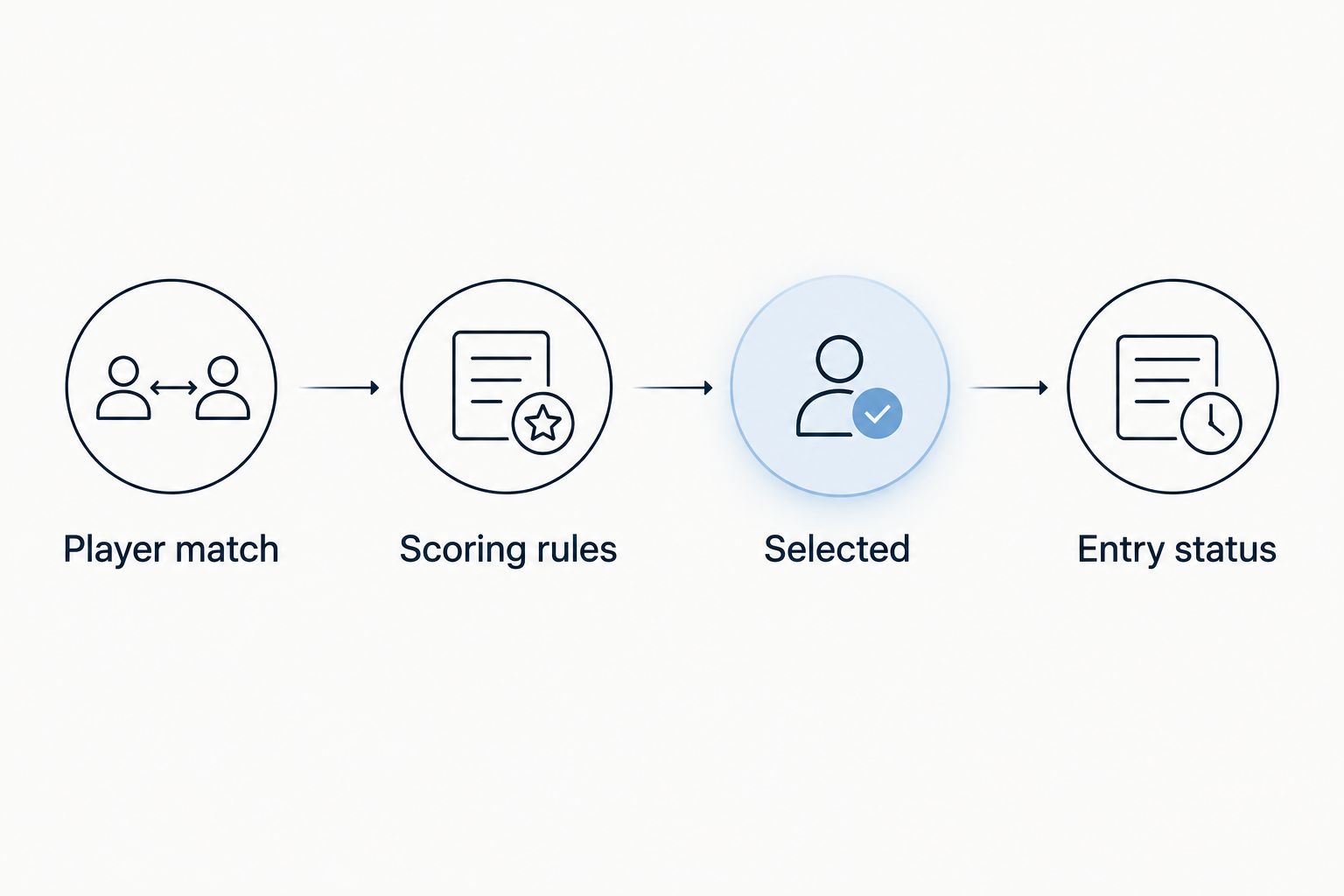
- Match players, slate eligibility, scoring rules, and projection timestamps before transferring selections.
- Keep sportsbook consensus separate from projected fantasy points; neither establishes a guaranteed lineup edge.
Why this matters
A player-prop projection and a DraftKings fantasy-point projection answer different questions. Projected receiving yards describe one statistic; fantasy points combine multiple scoring events. A sportsbook line is a betting threshold, not a complete fantasy forecast.
PropSignal provides NFL player prop projections, sportsbook line comparisons, and live game tracking. Use those capabilities as research inputs, then apply the scoring and eligibility rules of your selected contest. Start with Nflpropbet for the player-prop research side of the workflow.
For your 2026 process, keep the research layer separate from the entry layer. That separation makes it easier to identify whether a changed recommendation came from a new projection, a different slate, or a correction to your worksheet.
Before you start
- Access and materials: Have access to the PropSignal projections you intend to use, your DraftKings account and selected NFL contest, and a spreadsheet you can edit. Read the contest's scoring and lineup rules before building.
- Slate information: Record the contest format, included games, eligible players, roster requirements, and applicable lock rules. Keep different slates in separate worksheet tabs.
- The setup gotcha: Do not assume a player-prop projection includes every statistic required for fantasy scoring. Missing touchdowns, receptions, turnovers, or bonuses make a calculated total incomplete; blank does not mean zero.
The instructions below use worksheet column names that you create yourself. They are not claimed PropSignal or DraftKings interface labels. No step requires an undocumented export button, API connection, browser extension, or account authorization.
Player and slate configuration
Establish the player match
- Open the specific DraftKings contest you intend to enter. Read its rules and identify the included games before evaluating individual players.
- Create a worksheet tab for that slate. Add columns labeled Player, Team, Opponent, Game, Position, Eligible, and Source time.
- Enter the eligible players you want to research. Match each player by name and team, then confirm the opponent and game. Do not match solely on a shortened name.
- Add the PropSignal statistical projections you can actually see. Give each statistic its own column rather than putting several values in one notes cell.
- Record when you checked the source in Source time. Distinguish that observation time from a projection's own published update time when one is displayed.
Expected result: Every researched player has a confirmed slate match and a traceable projection observation. Players outside the selected contest remain excluded, regardless of how attractive their statistical outlook appears.
A 2026 worksheet should preserve player identity independently of display order. Sorting a projection list and a contest player list differently must not move one player's numbers onto another player's row. Keep the player-identification columns attached whenever you sort.
Separate the research fields
Create distinct columns for Projection, Sportsbook line, Consensus, and Research note where those inputs are available. Name each statistic explicitly, such as projected receptions or projected rushing yards.
Do not place a receiving-yards line in a projected-receptions column. Also keep an anytime-touchdown market separate from a projected touchdown count: the market describes an event, while the worksheet needs a numerical expectation to calculate expected scoring.
Fantasy-point configuration
Translate statistics into scoring
- Create a section labeled Scoring rules. Copy the applicable rules from the selected contest, including deductions and bonuses, before adding formulas.
- Add separate columns for each projected scoring component you have. Retain blanks for missing inputs rather than filling them with assumed production.
- Multiply each projected statistic by its applicable scoring weight. Keep the components visible so you can inspect the calculation.
- Label a result Partial points when required scoring inputs are missing. Use Projected points only when the calculation covers the scoring components your projection method requires.
- Add a Coverage note describing exclusions. A reader should be able to see immediately whether turnovers, bonuses, or another category remain unmodeled.
Under standard DraftKings NFL Classic scoring, a reception earns 1 point, passing yards earn 0.04 points per yard, and rushing or receiving yards earn 0.1 points per yard. Passing touchdowns earn 4 points; rushing and receiving touchdowns earn 6 points. Confirm these weights against your contest rules rather than applying them to every football format.
A receiving-only calculation combines projected receptions, projected receiving yards, and projected receiving touchdowns using their respective weights. It is still a partial player total when other scoring categories remain outside the calculation.
Expected result: Your worksheet distinguishes projected statistics, scoring weights, and calculated points. A missing input remains visible instead of becoming a misleadingly precise total.
Handle scoring thresholds correctly
DraftKings NFL Classic includes yardage bonuses. A projected average alone does not tell you the probability of crossing a bonus threshold.
Do not award a bonus automatically because a mean projection exceeds its threshold. Do not assume a player projected below the threshold has no chance of earning it, either. Without a supported probability estimate, identify the bonus as unmodeled rather than inventing its expected contribution.
This distinction matters when comparing players with similar base projections. A point estimate summarizes expected production; it does not describe every possible game outcome or establish a player's ceiling.
For your 2026 scoring worksheet, store the scoring assumptions beside the formulas. That makes a format change visible before you reuse the calculation.
Lineup-builder configuration
Choose the transfer method
Two adjacent workflows exist, but they require different evidence. Manual selection works without assuming a connector. File-based transfer requires documented support from the specific destination.
| Workflow | Best for | Advantage | Limitation |
|---|---|---|---|
| Manual worksheet review | Reviewing a focused player pool | Keeps player matches and scoring assumptions visible | Requires you to transfer and recheck selections |
| Documented file-based transfer | A destination that explicitly accepts your intended file | Reduces re-entry when the file matches its requirements | Depends on supported columns, identifiers, and file purpose |
A lineup-upload file and a projection-import file are not interchangeable. One represents selected roster entries; the other represents player forecasts. Confirm what a destination accepts before preparing either file.
For tools that sit between research and roster construction, review the NFL DFS lineup optimizer tools guide. Choose according to documented input support, not an assumed connection to your projection source.
Transfer reviewed selections
- Add columns labeled Selected, Review reason, and Entry status to your worksheet. Mark candidates only after checking eligibility and projection coverage.
- Assemble your lineup in the selected contest's builder. Follow its displayed roster requirements and restrictions; do not treat a worksheet selection as a submitted entry.
- Compare the completed roster against your worksheet player by player. Check identity, position eligibility, game, and whether any research input changed during construction.
- Follow the contest's entry process and confirm its resulting entry status. Record that status separately from your research decision.
- Save the worksheet version used for the entry. Preserve the original selections before making later revisions.
Expected result: The submitted roster matches the reviewed player selections, and the worksheet records which research version informed the entry. Nothing in this process depends on a claimed native sync.
The highest individual point projections do not automatically produce the best legal roster. Position requirements, available roster resources, and the relationships between players affect construction. Keep projection ranking and lineup construction as separate decisions.
Projection updates and lineup revisions
The second workflow begins when research changes after your first build. Update the affected inputs, recalculate, and review the roster again; do not assume a projection change automatically changes an entry.
- Preserve the original worksheet. Create a revised version and identify the player or statistic that changed.
- Recheck player identity, slate eligibility, and the source observation time. Update only the fields supported by the new information.
- Recalculate the affected scoring components. Keep the previous and revised totals visible so you can identify the cause of the difference.
- Review every roster decision affected by the change. Replacing one player can change the feasibility of other selections.
- Check the contest's applicable lock and swap rules before attempting an edit. Confirm the resulting entry status after any permitted change.
Expected result: Your revised entry reflects an explicit decision rather than an unnoticed spreadsheet update. The earlier version remains available for comparison.
Keep a short 2026 revision log with Change reason, Checked at, and Entry status. Record observations, not explanations invented after the result. A sportsbook line moving while a projection stays unchanged is a different event from the projection itself changing.
Troubleshooting
The player appears in research but not in the contest
Check the selected slate, included games, player identity, and contest eligibility. Do not substitute a similarly named player or force a match. Keep the row excluded until the identity and eligibility checks agree.
The calculated fantasy total looks too low
Inspect coverage before changing formulas. Receptions, touchdowns, rushing production, or another scoring category might be absent from the source inputs. Keep the total labeled Partial points until the missing components have a supported treatment.
A file is rejected or maps players incorrectly
Confirm that the destination accepts the intended file type and purpose. Compare its documented headers and player identifiers with your file; do not replace required identifiers with names unless the destination permits that. Return to manual selection when the file requirements are unresolved.
The worksheet changed but the entry did not
A worksheet is a research record, not an entry confirmation. Reopen the contest entry, check whether edits remain permitted, and verify the actual roster. Record the platform's resulting entry status rather than assuming the transfer succeeded.
Consensus and projections point in different directions
Check whether both values refer to the same player, statistic, game, and observation time. Keep the sportsbook threshold separate from the statistical forecast. A disagreement is a research question, not proof of a profitable bet or a better DFS selection.
Customize your workflow
Expand your worksheet only when each added field changes a decision. Useful additions include projection coverage, matchup notes, player-status checks, and a written reason for including or excluding a candidate.
Nflpropbet supports the NFL player-prop research layer through PropSignal's stated projections, sportsbook comparisons, and live tracking. The limitation is scope: those capabilities do not, by themselves, establish a complete fantasy scoring model, an optimizer, or a DraftKings connection.
For a smaller player pool, emphasize inspection: check each scoring component and selection reason. For a broader pool, emphasize consistent matching and formulas. Neither approach removes the need to verify the final entry.
FAQ
Can I automatically connect PropSignal projections to DraftKings?
This guide describes a manual transfer workflow, not an automatic connection. Use a connector only when its documentation explicitly supports the source, destination, and intended data transfer.
How do I use NFL DFS projections in a DraftKings lineup?
Match each player to the selected slate, apply the contest's scoring rules to supported projected statistics, and review your selections in the lineup builder. Confirm the actual entry separately from your worksheet.
Are sportsbook lines the same as fantasy-point projections?
No. A sportsbook line is a betting threshold for a specified market, while a fantasy-point projection combines expected scoring contributions under a contest's rules.
Can I upload a projection spreadsheet directly into DraftKings?
Do not assume that a projection spreadsheet is an accepted lineup-entry file. Check the destination's documented file purpose, required columns, and identifiers before attempting a transfer.
What should I do when a projection does not include receptions?
Leave receptions unmodeled and label the calculated result as partial when receptions affect the contest's scoring. Do not silently convert a missing projection into zero expected receptions.
Does a higher player projection guarantee a better lineup?
No. Lineup construction also depends on eligibility, roster constraints, and how the selected players fit together. A projection is an input to the decision, not a guaranteed outcome.
Can I change my lineup after projections update?
Changes depend on the selected contest's lock and swap rules. Check those rules, make only permitted edits, and verify the resulting entry status.
One last thing
Your most important output is not the largest projected total. It is a roster whose inputs you can explain. Keep one sentence beside each selection describing what the projection covers and why the player belongs in that lineup.
Make this your final 2026 check: compare the actual entry with the saved worksheet, not with your memory. Nflpropbet informs NFL player-prop research; your contest rules and confirmed roster determine what you entered.