

Instead of manually checking every sportsbook, set up NFL prop line movement tracking with an automatically refreshed odds feed, a saved baseline, and spreadsheet flags that separate line changes from odds changes. This guide builds that comparison in Google Sheets without treating every movement as a betting edge.
- Nflpropbet suits NFL prop bettors who want projections, sportsbook comparisons, and live game tracking alongside movement research.
- NFL prop line movement tracking needs a stable market identifier and a timestamped baseline.
- Flag yardage changes separately from American odds changes; they describe different adjustments.
- Google Sheets can flag refreshed data, but an authorized feed must supply the updates.
Why this matters
A receiving-yards threshold can stay unchanged while the odds move. The threshold can also move while the displayed odds stay unchanged. Combining those events into one alert hides what actually changed.
Nflpropbet is best for NFL prop bettors who want projections, sportsbook comparisons, and live game tracking in the same research process. Use Nflpropbet for that research context; the spreadsheet below handles your comparison rules. This guide does not assume a native spreadsheet connection or an alerting feature from the brand.
For your 2026 tracking setup, define movement as a difference between matching sportsbook markets at two recorded observations. That definition excludes a common mistake: comparing different books and calling the difference a move.
Before you start
- Data access: Use an authorized odds source with permission to retrieve NFL player props and write updates to Google Sheets. Confirm that your existing connector or scheduled import supports this destination before building the workbook.
- Workbook access: You need permission to edit a spreadsheet, create tabs, enter formulas, and apply conditional formatting. The workflow uses 2 sheets: Current and Baseline.
- The non-obvious gotcha: Your market identifier must include the sportsbook, event, player, statistic, side, and period—but exclude the changing line and odds. Otherwise, a movement creates a new identifier instead of matching the existing market.
The labels below are workbook fields you create, not claimed fields in a sportsbook interface. Google Sheets menu labels appear in bold. Your data provider's connection settings remain provider-specific.
Best for: Google Sheets suits a visible, formula-based review queue. Its advantage is inspectable logic; its limitation is dependence on a separate feed and the workbook's refresh process.
Market identity and baseline configuration
Create matching records
- Create a spreadsheet for your 2026 NFL prop tracking log. Add tabs named Current and Baseline, using those names exactly because the formulas reference them.
- In both tabs, create these headers across columns A–E: market_key, line, american_odds, observed_at, and status.
- Configure your authorized import to write current observations into Current, columns A–E only. Store line and american_odds as numbers, not text containing units or symbols.
- Build market_key from stable source identifiers for the event, player, statistic, side, period, sportsbook, and market variant. Include the variant when the source distinguishes main and alternate markets.
- Normalize status so an open market uses the exact value active. Preserve suspended or closed states as different values; do not silently convert them to active.
Keep 1 row per market in Current. Multiple rows with the same key make a lookup ambiguous, particularly when a provider supplies both an updated observation and an older record.
Use the event's actual identifier, not a reusable label such as a team matchup. Your 2026 records must remain distinct from another meeting between the same teams.
Expected result: Each sportsbook market has one identifiable current record, with numeric values and a timestamp.
Save the comparison point
- Check that the initial Current records are complete and represent the markets you intend to monitor.
- Copy columns A–E into Baseline, preserving the headers.
- Use Edit, Paste special, then Values only when saving the baseline. Do not leave formulas or live references pointing back to Current.
- Record the baseline's purpose in a workbook note: session start, pre-news observation, or another explicitly chosen comparison point.
Expected result: Baseline stays fixed while Current changes. The two sheets now represent 2 snapshots rather than two views of the same live data.
This baseline is your first saved observation, not necessarily the sportsbook's opening line. Call it an opening line only when your source explicitly identifies it that way.
Movement rules and automatic flags
Add the comparison formulas
In Current, add these headers across columns F–I: baseline_line, baseline_odds, baseline_time, and movement_flag.
- In cell F2, enter the baseline-line lookup:
=IFNA(XLOOKUP(A2,Baseline!A:A,Baseline!B:B),"")
- In cell G2, enter the baseline-odds lookup:
=IFNA(XLOOKUP(A2,Baseline!A:A,Baseline!C:C),"")
- In cell H2, enter the baseline-time lookup:
=IFNA(XLOOKUP(A2,Baseline!A:A,Baseline!D:D),"")
- In cell I2, enter the classification rule:
=IF(A2="","",IF(E2<>"active","REVIEW STATUS",IF(OR(F2="",G2="",B2="",C2=""),"CHECK DATA",IF(AND(B2<>F2,C2<>G2),"LINE + ODDS MOVE",IF(B2<>F2,"LINE MOVE",IF(C2<>G2,"ODDS MOVE","NO CHANGE"))))))
- Fill F2:I2 down through the rows your import uses. Keep the import restricted to A–E so it does not overwrite these formulas.
Expected result: Each active, matched row receives a movement classification. Missing comparison values produce CHECK DATA, while non-active markets produce REVIEW STATUS.
These formulas compare values, not betting merit. A line change does not establish positive expected value, and an odds change does not establish informed action.
Separate the signals
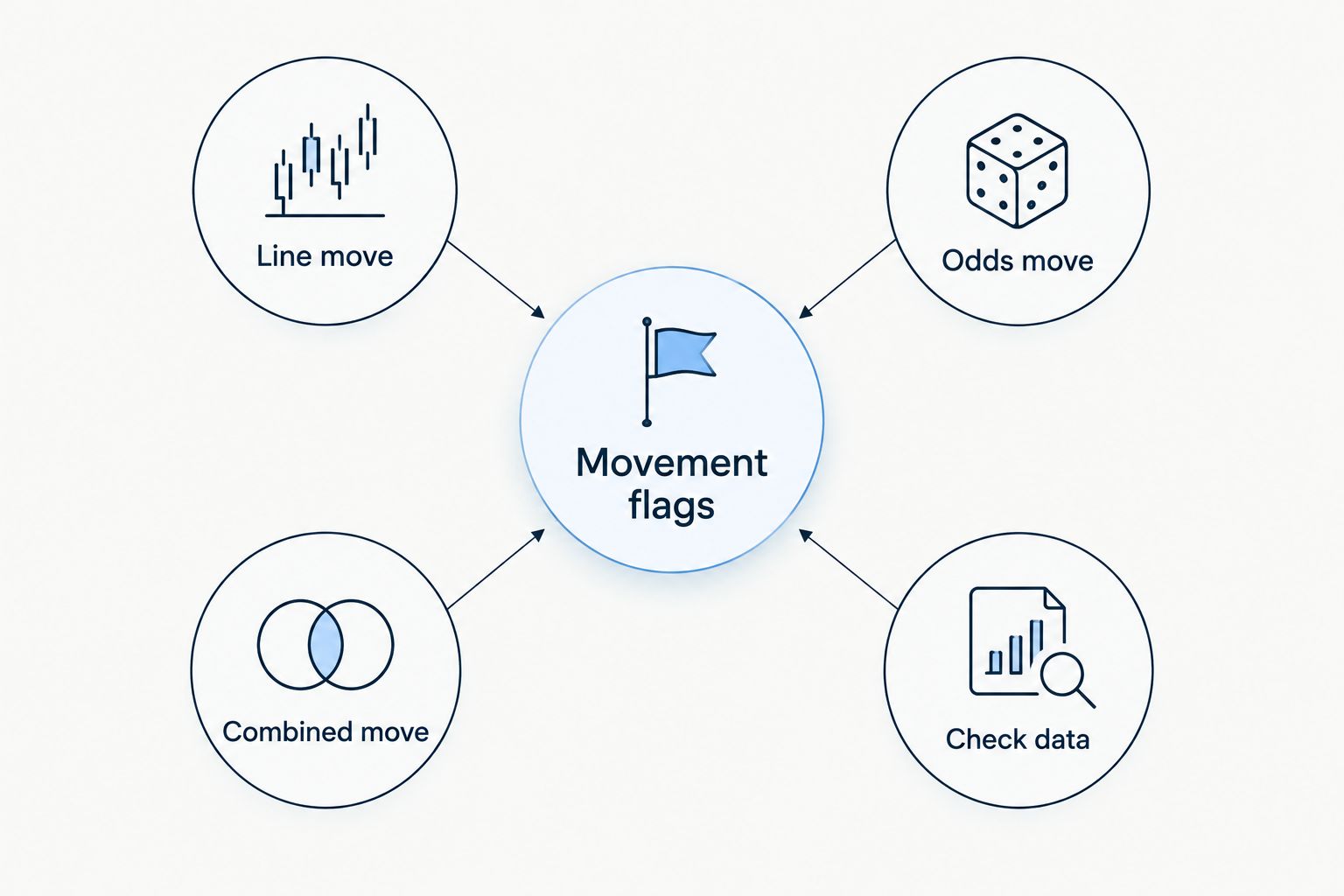
Use the following definitions when reviewing your 2026 movement log. Each flag has a different purpose and a different limitation.
| Flag | Trigger | Best for | Benefit | Limitation |
|---|---|---|---|---|
| Line move | Current line differs from baseline line | Threshold monitoring | Identifies a changed yardage or count requirement | Does not describe the odds adjustment |
| Odds move | Odds differ while the line stays unchanged | Same-threshold monitoring | Isolates an odds adjustment | Does not establish the reason for movement |
| Combined move | Both line and odds differ | Full market review | Captures both changed terms | Requires checking each change separately |
| Check data | A required comparison value is missing | Data-quality review | Prevents missing values from becoming movement signals | Does not identify the upstream cause |
A receiving-yards move and a passing-touchdowns move use different units. Keep the statistic in the record and avoid sorting every market by raw line difference as if the differences were equivalent.
Make changes visible
- Select the populated rows in Current, including columns A–I.
- Open Format, then Conditional formatting.
- Under Format cells if, choose Custom formula is. Enter
=OR($I2="LINE MOVE",$I2="ODDS MOVE",$I2="LINE + ODDS MOVE")and choose a visible format. - Select Done. Add a separate rule for
=OR($I2="CHECK DATA",$I2="REVIEW STATUS"), using a different format. - Select the header row and use Data, then Create a filter. Filter movement_flag when you want to review changed markets only.
Expected result: Updated observations produce visible flags without another manual comparison. Data problems remain distinguishable from market changes.
This is automatic spreadsheet flagging, not a push-notification service. For delivery outside the workbook, use an existing notification system that supports your data source and deduplicate messages by market key plus observed state.
Variant: flag movement after a baseline reset
A fixed baseline answers, “What changed since this session started?” A refreshed baseline answers, “What changed since my last saved checkpoint?” Neither captures every intermediate move unless you retain a full observation history.
For a checkpoint workflow:
- Review the current movement queue and preserve any observations you need in a separate history log.
- Replace Baseline with validated values from Current, columns A–E.
- Confirm that active, unchanged markets return to NO CHANGE.
- Resume the current-data refresh and review subsequent differences against the new checkpoint.
Best for: A fixed baseline suits session-level comparison because the reference remains consistent; its limitation is that repeated changes stay grouped against that original observation. A checkpoint baseline suits review cycles because it resets the comparison; its limitation is that replacing it removes the previous reference unless you saved history.
Do not schedule a baseline reset at the same moment as the feed refresh without controlling the order. Saving the new current state before evaluating it erases the difference you intended to flag.
For live monitoring in 2026, keep pregame and in-game markets distinct whenever your source treats them as different markets. Do not compare a remaining-game threshold with a full-game pregame threshold.
Troubleshooting
Every refresh produces new unmatched markets
Fix the key before changing the formulas. A key containing the current line or odds changes whenever those values change. Remove changing terms, retain stable identifiers, and rebuild the baseline with the corrected keys.
The sheet shows no movement despite visible changes
Check whether Baseline still references Current through formulas or an import. Save static values instead. Also confirm that the import has not overwritten columns F–I or expanded beyond the rows containing formulas.
Flags appear for unchanged odds
Inspect the underlying cell values. Numeric odds and text-formatted odds need consistent normalization, as do line values that arrive with unit labels. Correct the source mapping rather than adding exceptions that hide inconsistent records.
A suspended market looks like a normal opportunity
Check the status mapping and observed_at timestamp. A previously recorded line is not proof that the market remains open. Route suspended or closed observations to REVIEW STATUS and verify the current market before acting.
A flag persists after the feed stops updating
Check observed_at against your provider's documented refresh behavior. The comparison formula detects differences, not freshness. Treat stale observations as a data issue and pause decisions until current records resume.
Customize your workflow
Start with exact-change detection, then add filters that match your research process. Filter by sportsbook, statistic, player, or event before adding thresholds; otherwise, a noisy queue becomes harder to diagnose.
Keep projections separate from observations. Nflpropbet supplies NFL prop projections, sportsbook comparisons, and live game tracking; use that context to reassess a changed market rather than treating the movement flag itself as a recommendation.
If you need a different monitoring interface, review the NFL player prop line movement tracking tools guide. Check whether a candidate supports your required markets, timestamps, baseline history, and notification destination before changing systems.
For your 2026 review log, preserve both the baseline timestamp and current timestamp with any decision. That record separates what you observed from what appeared later.
FAQ
How do I automate NFL prop line movement tracking?
Connect an authorized odds feed to a comparison workflow that matches current markets against saved observations. In Google Sheets, lookup formulas and conditional formatting can flag line changes separately from odds changes.
Can Nflpropbet automatically send movement alerts to my spreadsheet?
This guide does not establish a Nflpropbet spreadsheet connection or notification feature. It uses a separate authorized feed for spreadsheet updates and the brand's stated projections, sportsbook comparisons, and live tracking as research context.
What's the difference between a prop line move and an odds move?
A line move changes the performance threshold, while an odds move changes the offered odds. Both can change together, so store and compare them as separate fields.
Does a sportsbook line move prove a bet has an edge?
No. A movement flag establishes only that matching market terms changed between observations. Evaluate the current threshold, odds, projection, and relevant information before making a decision.
Can this workflow track every movement during a game?
A current-versus-baseline workbook does not preserve every intermediate movement. Use timestamped observation history if you need to reconstruct changes between refreshes, and separate markets with different periods or settlement terms.
How often should my 2026 NFL prop tracker refresh?
Use the refresh schedule supported by your authorized data source and your monitoring requirements. A faster spreadsheet check cannot create newer observations than the source supplies.
Why does my tracker flag a market that no longer appears open?
The tracker can retain a previously observed value after a market changes status or the feed stops updating. Check both market status and observation time before treating the flag as actionable.
One last thing
A market can move and return to its baseline before your next observation. A clean NO CHANGE row means the current recorded values match the baseline—not that nothing happened between them.
Retain timestamped history when the path matters. Use the simpler baseline workflow when you only need the current difference, and label that distinction clearly.